Imagine typing Kannada effortlessly on your smartphone, downloading stylish Kannada fonts in seconds, converting old Nudi text into Unicode with a single tap, and even getting AI assistance all from one app.
Whether you are a student preparing assignments, a government employee working with Kannada documents, a teacher creating notes, a graphic designer searching for beautiful Kannada fonts, or a content creator designing YouTube thumbnails and social media posts, this application has everything you need.
Unlike ordinary keyboard apps that only allow typing, Nudi Kannada Keyboard combines multiple powerful tools into one easy-to-use platform.
Why Should You Use Nudi Kannada Keyboard?
Today, Kannada users face several common problems. Many keyboard apps only provide basic typing and do not support font downloads or document conversion. Some apps have poor typing accuracy, while others lack customization or Unicode compatibility.
Nudi Kannada Keyboard solves all these problems by providing everything inside one application.
| Feature | Benefit |
|---|---|
| Fast Kannada Typing | Write quickly and accurately |
| Multiple Keyboard Layouts | Suitable for beginners and professionals |
| Unicode Support | Works everywhere |
| Nudi ASCII Support | Supports old Kannada documents |
| Font Gallery | Hundreds of Kannada fonts |
| AI Assistant | Smart writing help |
| Text Converter | Instant Unicode conversion |
| Themes | Personalize your keyboard |
| Beginner Friendly | Easy to use |
How to Install and Use Nudi Kannada Keyboard
Even if you have never used a Kannada keyboard before, Nudi Kannada Keyboard is very easy to set up.
Step 1 – Install the Application
Download and install the Nudi Kannada Keyboard application from the Google Play Store.
After installation, open the app.
Step 2 – Enable the Keyboard
Inside the application, tap Keyboard Integration.
The app will automatically guide you to the Android Keyboard Settings.
Simply enable Nudi Kannada Keyboard.
Step 3 – Select Nudi Kannada Keyboard
Return to the application.
Tap Choose Keyboard and select Nudi Kannada Keyboard as your default keyboard.
Now every application such as WhatsApp, Facebook, Instagram, Gmail, Chrome, Microsoft Word, Notes, and Telegram will use Nudi Kannada Keyboard.
Step 4 – Choose Your Favorite Layout
The application provides multiple keyboard layouts.
Choose the layout that matches your typing style.
| Layout | Suitable For |
|---|---|
| abc → ಕನ್ನಡ | New users |
| abc → ಕನ್ನಡ New | Faster phonetic typing |
| Nudi → ಕನ್ನಡ | Traditional users |
| English | English typing |
Each layout is optimized for speed and comfort.
Home Menu
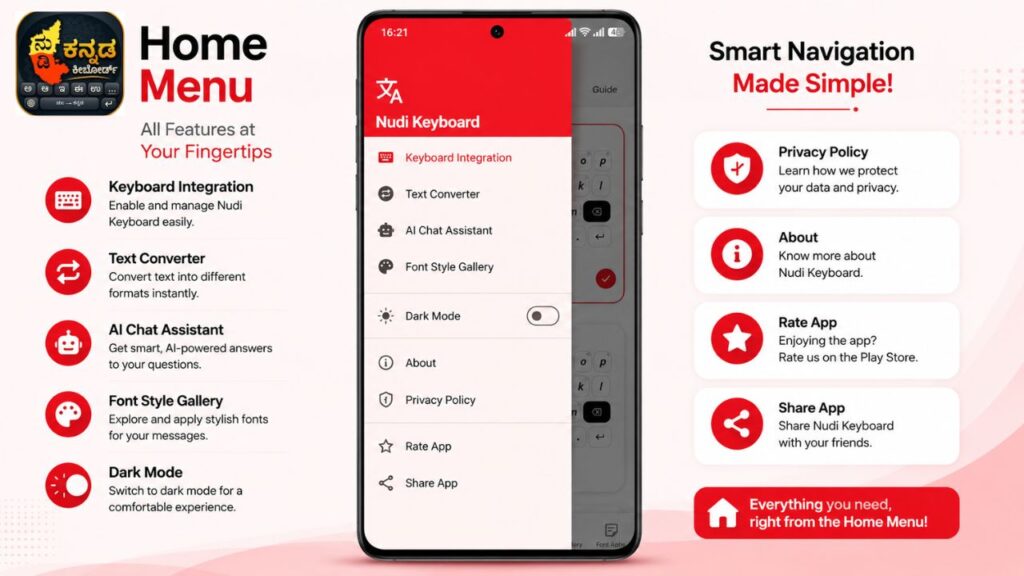
The home menu acts as the central navigation panel of the application. Every major feature can be accessed from this menu.
Available options include:
- Keyboard Integration
- Text Converter
- AI Chat Assistant
- Font Style Gallery
- Sticker Studio
- Dark Mode
- About
- Privacy Policy
- Share App
- Rate App
This organized menu makes navigation simple even for first-time users.
Keyboard Layouts
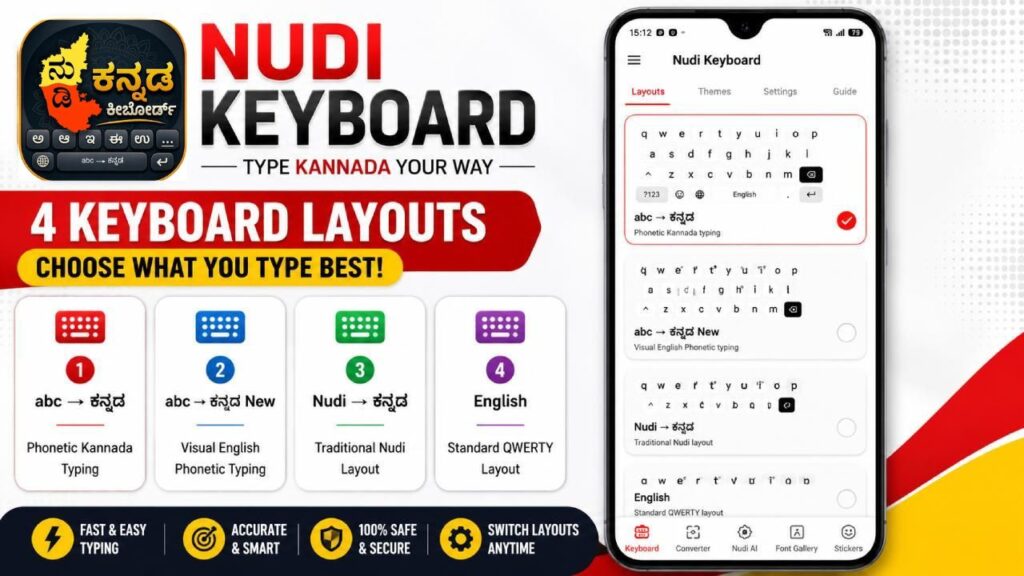
One of the biggest advantages of Nudi Kannada Keyboard is the availability of multiple keyboard layouts.
Available Layouts
| Layout | Best For |
|---|---|
| Kannada Phonetic | Beginners |
| Kannada Phonetic New | Fast Typing |
| Traditional Nudi | Experienced Users |
| English Keyboard | English Typing |
Users can switch between layouts depending on their typing preference.
Benefits
- Easy learning
- Faster typing
- Comfortable layout
- Improved typing accuracy
Keyboard Themes
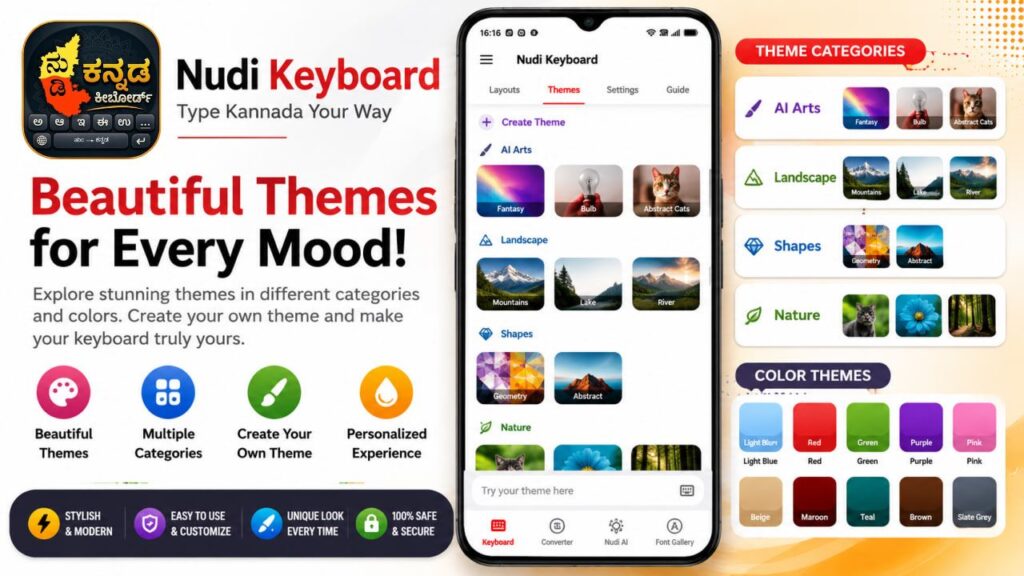
Typing becomes more enjoyable when users can personalize their keyboard.
Nudi Kannada Keyboard offers numerous colorful themes.
Popular Themes
| Theme |
|---|
| Dark Modern |
| Light Modern |
| Slate Grey |
Color Themes
- Light Blue
- Green
- Red
- Purple
- Pink
- Beige
- Brown
- Maroon
- Teal
Users can even create their own custom keyboard theme.
Keyboard Settings
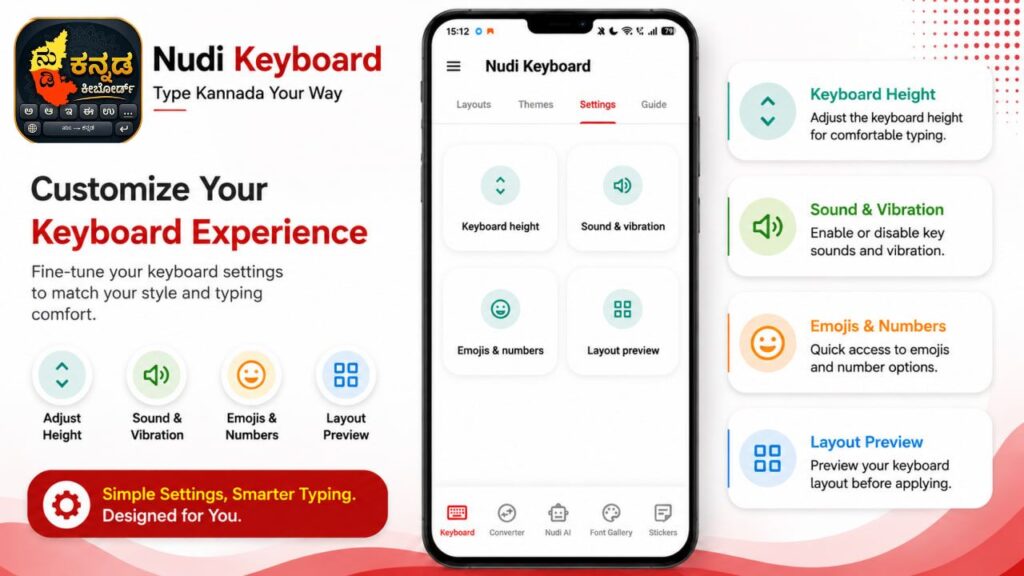
The Settings section provides complete control over the typing experience.
| Setting | Purpose |
|---|---|
| Keyboard Height | Adjust keyboard size |
| Sound & Vibration | Enable typing feedback |
| Emojis & Numbers | Customize number row |
| Layout Preview | Preview keyboard before use |
These settings allow every user to personalize the keyboard according to their comfort.
Text Converter
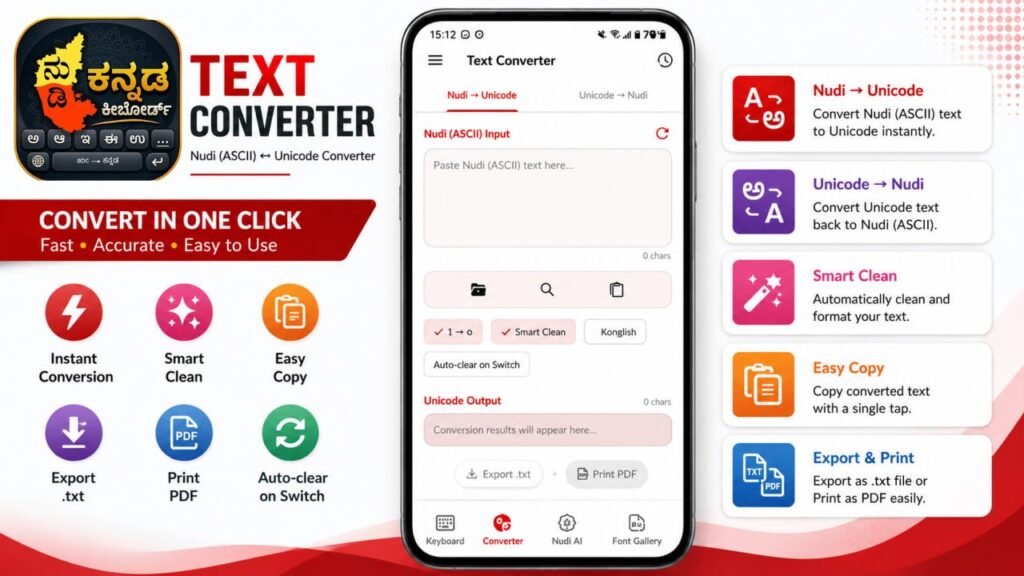
Many old Kannada documents use legacy Nudi fonts while modern applications use Unicode.
The built-in converter eliminates compatibility problems.
Conversion Options
| Conversion |
|---|
| Nudi → Unicode |
| Unicode → Nudi |
Additional tools include
- Smart Clean
- Konglish Mode
- Auto Clear
- Export TXT
- Print PDF
This feature is especially useful for teachers, government employees, publishers, and DTP operators.
Kannada Font Gallery
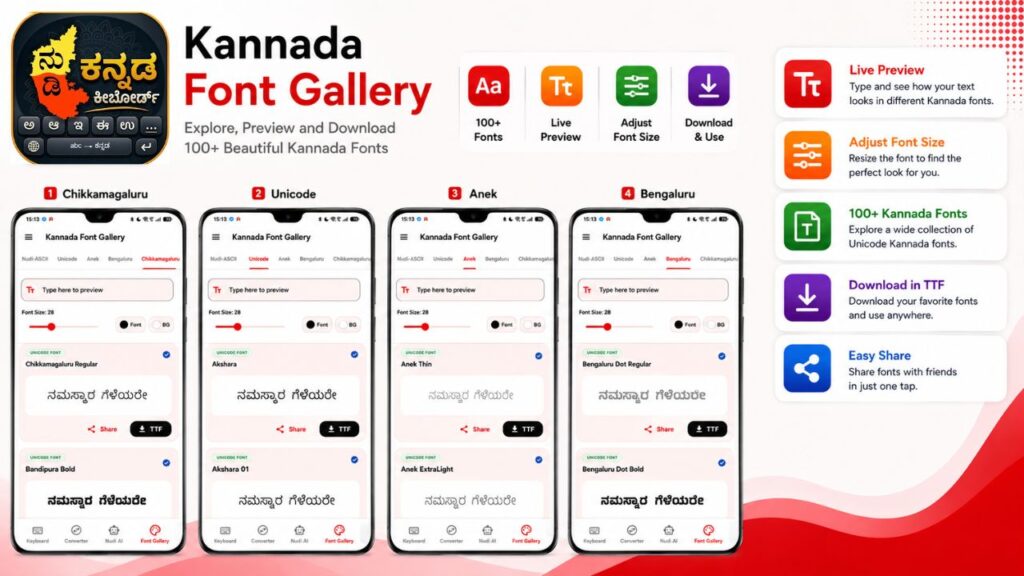
The Font Gallery is one of the most powerful sections of the application.
Users can preview fonts before downloading them.
Available Font Categories
| Category | Fonts Included |
|---|---|
| Unicode | Akshara, Akshara 01 |
| Anek | Thin, Extra Light, Light, Regular, Medium, Bold |
| Bengaluru | Dot Regular, Dot Bold |
| Chikkamagaluru | Regular, Bandipura Bold |
| Nudi ASCII | Traditional Kannada Fonts |
Every font supports
✔ Live Preview
✔ Font Size Adjustment
✔ Font Color
✔ Background Color
✔ Share
✔ TTF Download
Unicode Fonts
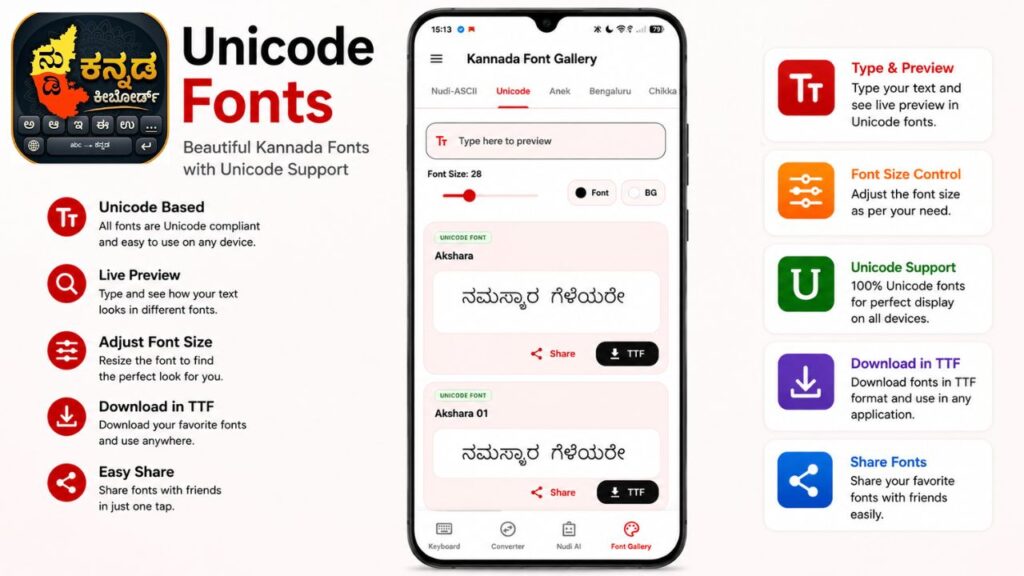
Unicode fonts are supported across Android devices, Windows computers, websites, Microsoft Office, Adobe software, and almost every modern application.
Advantages include
- Universal compatibility
- Professional appearance
- Better readability
- Social media support
Anek Font Collection
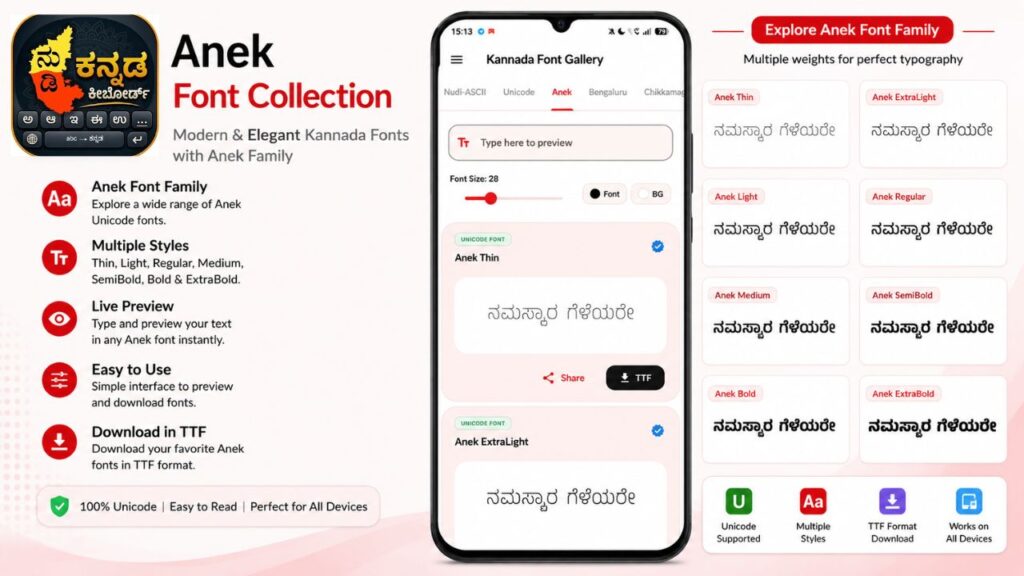
Google’s Anek Kannada font family offers multiple font weights.
Available styles include
- Thin
- Extra Light
- Light
- Regular
- Medium
- SemiBold
- Bold
These fonts are excellent for websites, posters, presentations, and branding.
Bengaluru Font Collection
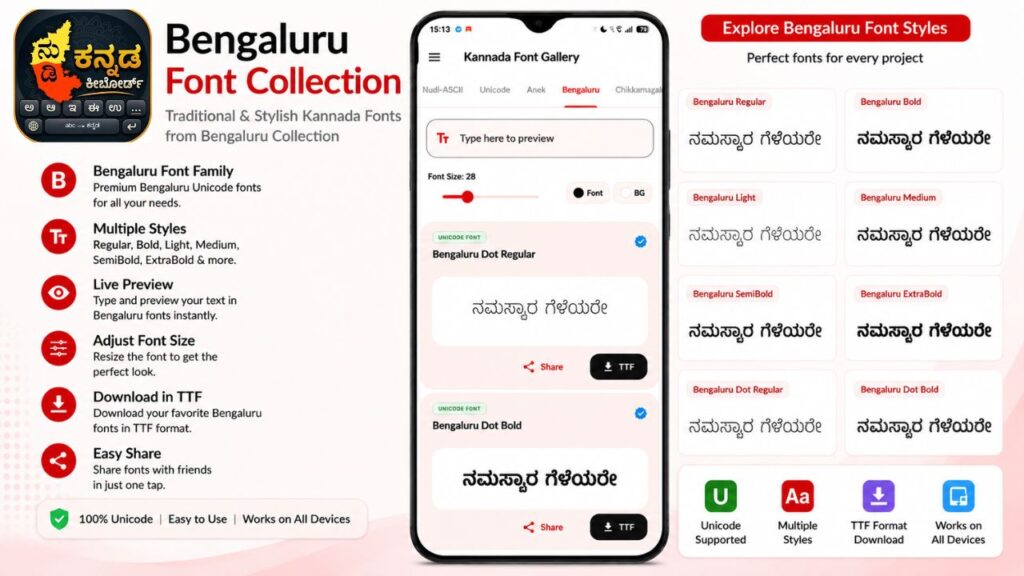
The Bengaluru fonts provide a unique dotted style suitable for creative projects.
They are ideal for
- Posters
- Invitation Cards
- Social Media Designs
- Educational Content
Chikkamagaluru Font Collection
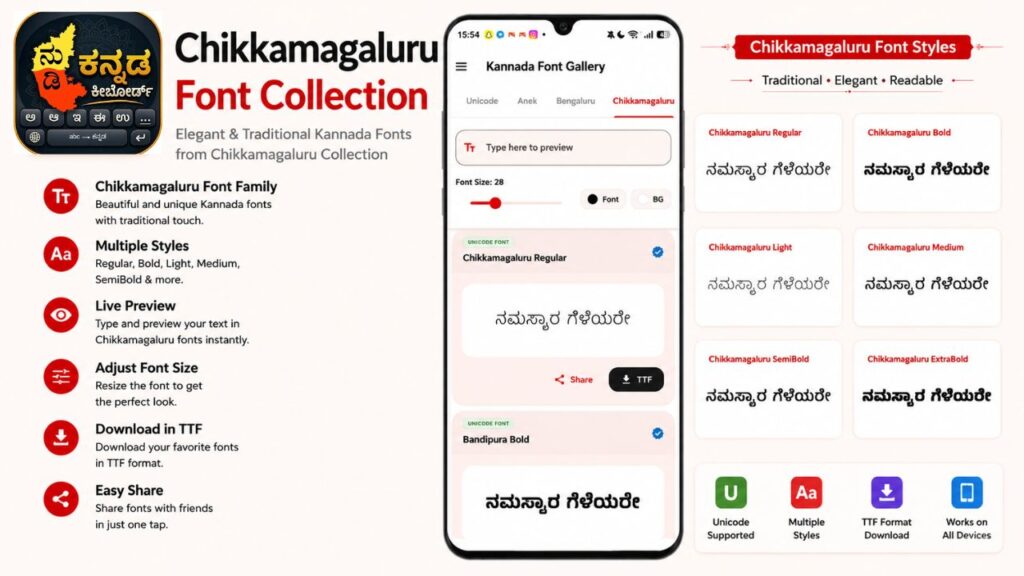
This section offers stylish Kannada fonts that combine modern aesthetics with excellent readability.
These fonts are widely suitable for
- YouTube Thumbnails
- Instagram Posts
- Graphic Designing
- Logos
- Headlines
AI Chat Assistant

The built-in AI Assistant helps users perform writing tasks without leaving the application.
Users can use it for
- Writing messages
- Grammar correction
- Translation
- Social media captions
- Article writing
- Letter writing
- Professional communication
This saves both time and effort.
User Guide
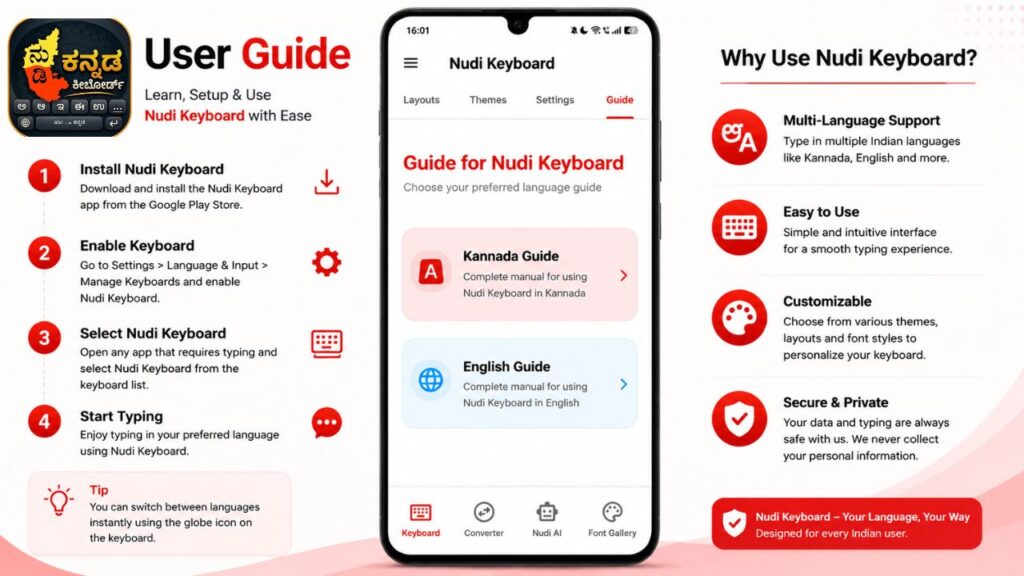
The application provides complete documentation in both Kannada and English.
The guide covers
- Installation
- Keyboard activation
- Typing methods
- Settings
- Font usage
- Troubleshooting
This makes the application beginner-friendly.
Final Verdict
Nudi Kannada Keyboard is much more than a standard Kannada keyboard. It is a complete digital toolkit for Kannada users, combining intelligent typing, Unicode support, font downloads, legacy text conversion, AI assistance, stickers, and extensive customization in a single application.
Whether you are a student, teacher, government employee, writer, designer, or content creator, Nudi Kannada Keyboard provides all the tools needed for efficient and professional Kannada communication. Its intuitive interface, rich feature set, and modern design make it one of the most comprehensive Kannada keyboard apps available today.