The Kannada Music Player App is designed for users who want to enjoy their favorite Kannada songs and videos directly on their smartphones. Whether you love Kannada movie songs, devotional music, old classics, or trending tracks, this app helps you manage and play media files stored on your device in one convenient place.
With separate Music Player and Video Player sections, users can easily browse their media, create playlists, save favorites, and continue enjoying their favorite songs with simple playback controls.
Key Features of Kannada Music Player App
| Feature | Description |
|---|---|
| Music Player | Play Kannada songs and other audio files stored on your phone. |
| Video Player | Watch saved videos with easy playback controls. |
| Favorites | Save your favorite songs and videos for quick access. |
| Playlist | Organize songs into playlists based on your mood or preferences. |
| History | Find recently played music and videos easily. |
| Search Option | Quickly locate songs and videos from your media library. |
| Background Playback | Listen to music while using other apps, if supported by the app. |
| Playback Controls | Play, pause, skip tracks, and adjust playback progress. |
| Media Categories | Browse music by songs, folders, albums, or artists. |
| Video Categories | Browse videos using categories such as Camera, Download, and other available folders. |
Music Player – Enjoy Your Favorite Kannada Songs
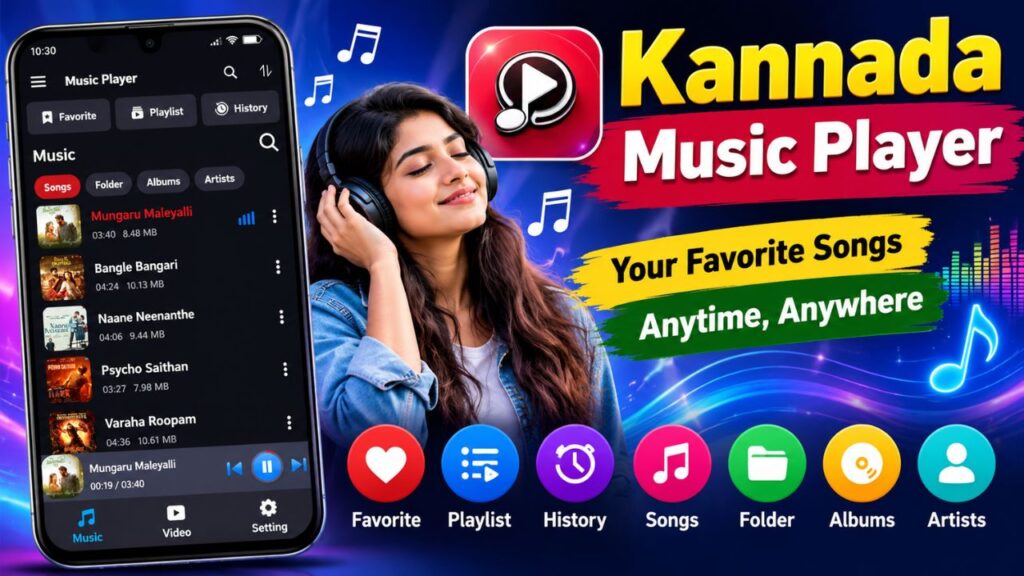
The Music Player section helps users access and play audio files stored on their smartphones. Songs can be displayed in a list with details such as the song name, duration, and file size.
Users can browse their music collection by songs, folders, albums, and artists. This makes it easier to find a particular track without searching through multiple folders manually.
The playback screen also provides convenient controls to pause or resume music, move to the next or previous song, and adjust playback progress. Depending on the available settings, users may also be able to use shuffle and other playback options.
Video Player – Watch Videos Easily
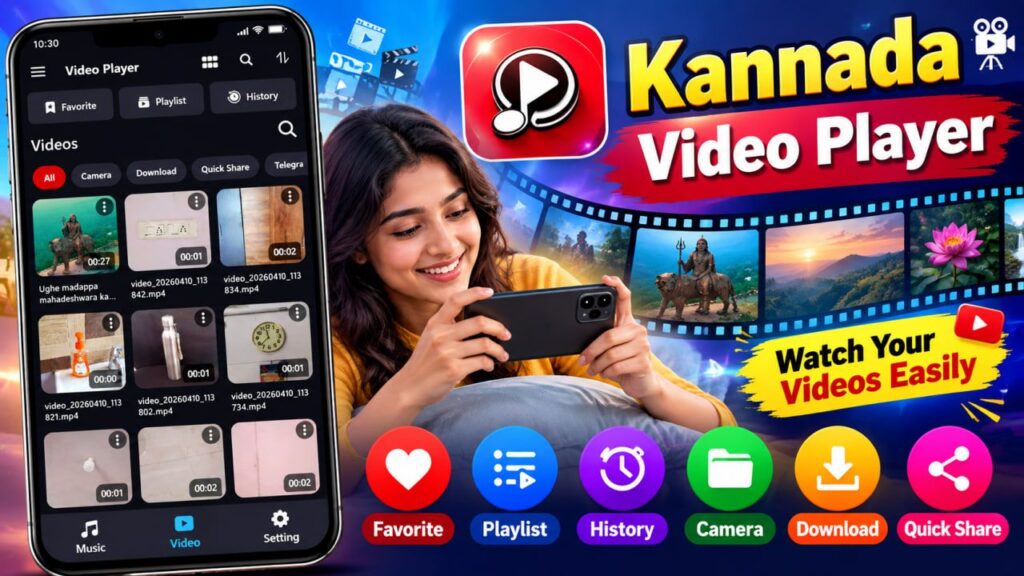
The Video Player section allows users to browse and watch videos saved on their devices. It displays video thumbnails, file names, and durations, helping users identify the video they want to watch.
Users can explore different video categories, including camera recordings and downloaded videos. The playback screen includes useful controls such as play, pause, seek, mute, brightness adjustment, and screen rotation, as shown in the provided screenshots.
These controls make watching saved videos more convenient, especially when users want to adjust the viewing experience according to their surroundings.
Favorites, Playlists, and History
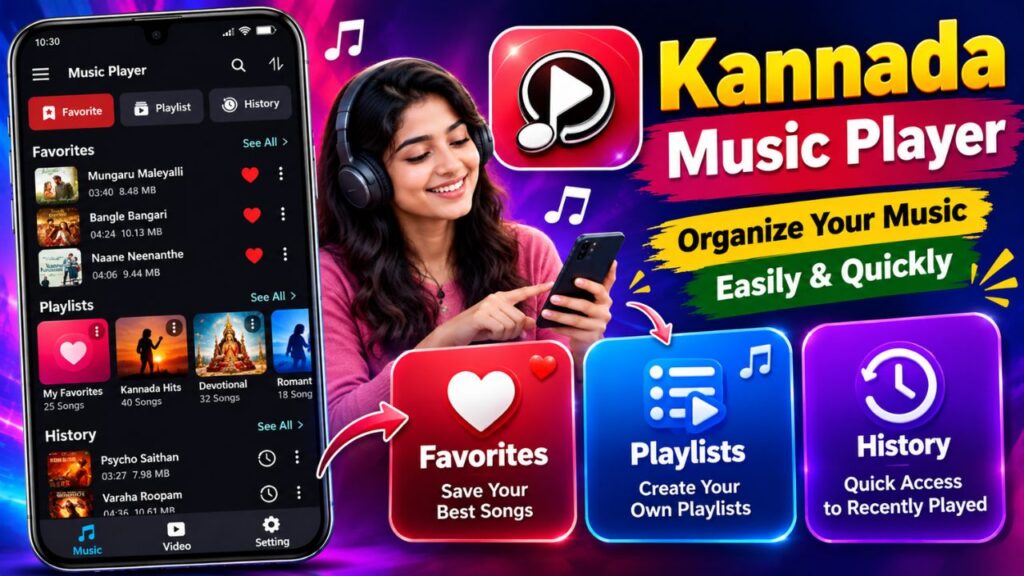
The app includes useful media management features that help users organize their entertainment.
| Option | How It Helps |
|---|---|
| Favorites | Quickly access songs you enjoy the most. |
| Playlists | Group songs according to your taste, mood, or occasion. |
| History | Find music and videos you have played recently. |
| Search | Locate specific media files more quickly. |
For example, you can create a playlist of your favorite Kannada romantic songs or save devotional tracks in one place. These features reduce the effort required to find your preferred music every time you open the app.
Why Should You Use the Kannada Music Player App?
There are several reasons why this app may be useful for everyday entertainment.
- Easy to use: The interface provides clearly labelled sections for music, videos, and settings.
- Convenient media access: Browse supported audio and video files stored on your smartphone.
- Better organization: Use playlists, favorites, and history to manage your collection.
- Simple playback: Control your music and videos without complicated navigation.
- Multiple entertainment options: Access music and video playback within the same app.
One important point is that playing local files is different from streaming songs online. The availability of a particular song depends on whether the file is stored on your device or can otherwise be accessed by the app.
How to Use the Kannada Music Player App
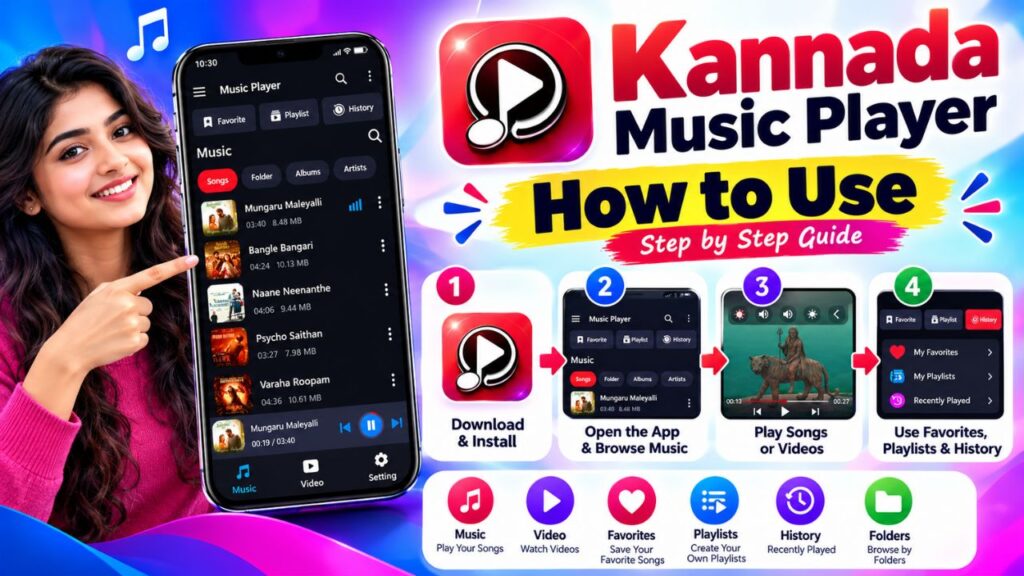
- Install and open the app on your smartphone.
- Allow the necessary media permissions if prompted.
- Open the Music section to browse your available audio files.
- Select a song to start playback.
- Open the Video section to find and watch saved videos.
- Use Favorites or Playlists to organize your preferred media.
- Explore Settings to check the playback and app customization options available.
Advantages and Limitations
| Advantages | Things to Consider |
|---|---|
| Music and video playback in one app | Supported file formats may vary. |
| Easy access to stored media | Online streaming may not be available. |
| Favorites and playlist management | Features can vary by app version. |
| Convenient playback controls | Some features may require permissions. |
Conclusion
The Kannada Music Player App can be a convenient choice for people who want a simple way to play Kannada songs, listen to their favorite audio tracks, and watch videos saved on their smartphones. Its music and video sections, favorites, playlists, history, and playback controls help make everyday media playback more organized and user-friendly.
If you prefer keeping your music collection on your phone and want easy access to both songs and videos, this app is worth considering. Before installing it, check the app’s permissions, supported file formats, and privacy information to ensure it meets your needs.