Are you looking for a mobile game that combines robots, cars, shooting, racing, city exploration and action missions in one place? Then Indian Robot City 3D is a game you may want to try.
Unlike a simple racing game where you only drive a car, Indian Robot City 3D brings together different types of gameplay. You can drive vehicles, control powerful robots, explore an Indian-style city environment, complete missions, participate in battles and unlock different gameplay options.
The game is designed around an action-packed 3D environment where cars can transform into powerful robots. The official Google Play description highlights car racing with shooting and robot transformation, battles and missions, driving controls, 3D graphics, and upgrades for cars, robots and abilities.
What is Indian Robot City 3D?
Indian Robot City 3D is an Android action game developed by Gani Tech. The game combines robot action with driving and racing elements.
The main idea is simple: enter the city, control your character or vehicle, complete challenges and enjoy different types of action gameplay.
The game includes several screens and gameplay systems, including:
- Robot gameplay
- Car and monster-truck gameplay
- Racing
- Shooting and combat
- City exploration
- Different game modes
- Level progression
- Aircraft gameplay
- Achievements
- In-game rewards
- Shop and currencies
- Rewarded-video options
The Google Play listing currently describes the game as free to download, while also indicating that it contains advertisements and in-app purchases.
How to Download Indian Robot City 3D?
Downloading the game is simple if it is available on your Android device through Google Play.
Step 1: Open Google Play Store
Open the Google Play Store on your Android smartphone.
Step 2: Search for the Game
Type:
Indian Robot City 3D
in the search bar.
Make sure you select the game published by Gani Tech.
Step 3: Check the Game
Before installing, check the game name and developer information so that you select the correct application.
Step 4: Tap Install
Tap the Install button.
Your phone will download and install the game automatically.
Step 5: Wait for Installation
Depending on your internet connection and device, the download and installation may take some time.
Step 6: Open the Game
Once installation is complete, tap Open.
Step 7: Start Playing
After the game loads, you can enter the available game menus and select the mode or level you want to play.
Download Information
| Item | Details |
|---|---|
| Game | Indian Robot City 3D |
| Developer | Gani Tech |
| Platform | Android |
| Availability | Google Play |
| Category | Action |
| Content Rating | Everyone |
| Ads | Yes |
| In-App Purchases | Yes |
| Download | Free to install |
Google Play currently lists the game as having ads and in-app purchases.
Tip: It is safer to download the game through the official Google Play listing rather than installing APK files from unknown websites.
What Can You Do in Indian Robot City 3D?
The biggest attraction of the game is the variety of gameplay.
Instead of repeatedly doing the same task, players can experience different activities.
| Gameplay | What You Can Do |
|---|---|
| 🤖 Robot | Control a powerful robot |
| 🚗 Cars | Drive different vehicles |
| 🏁 Racing | Take part in racing challenges |
| 🔫 Combat | Fight enemies and complete action missions |
| 🏙️ City | Explore the 3D city environment |
| ✈️ Aircraft | Select and control aircraft |
| 🏆 Achievements | Complete objectives and earn rewards |
| 🪙 Rewards | Collect in-game currencies |
| 🛒 Shop | View available game items and currency |
| 🎮 Modes | Try different game modes |
1. Robot Gameplay
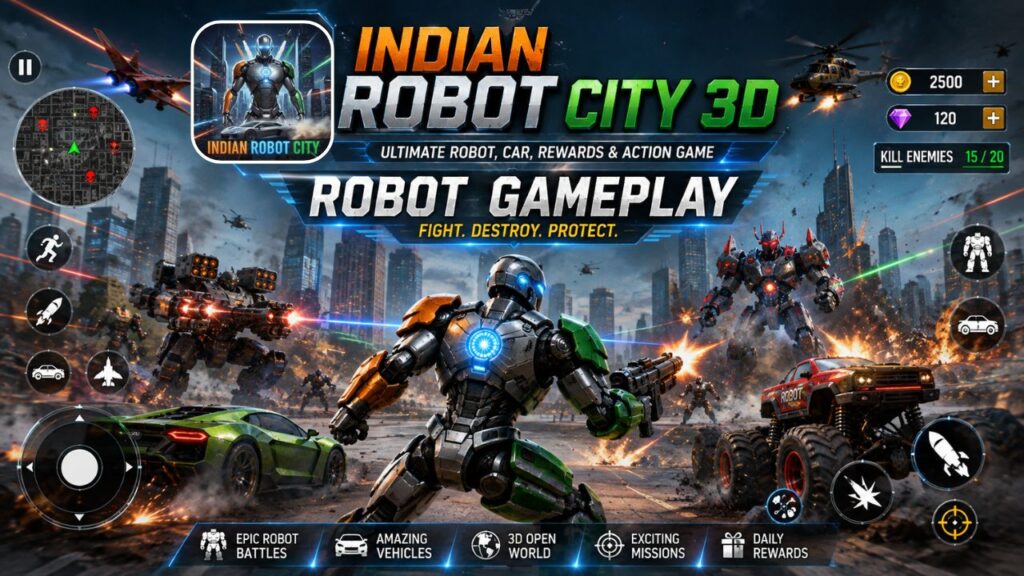
The robot is one of the most important parts of Indian Robot City 3D. Players can control a futuristic robot and move around the city using the on-screen controls.
The gameplay screen includes a virtual movement control and action buttons. This allows players to move around the environment and perform different actions.
The game also focuses on the idea of cars transforming into robots, which is one of its main advertised features.
2. Explore the 3D City
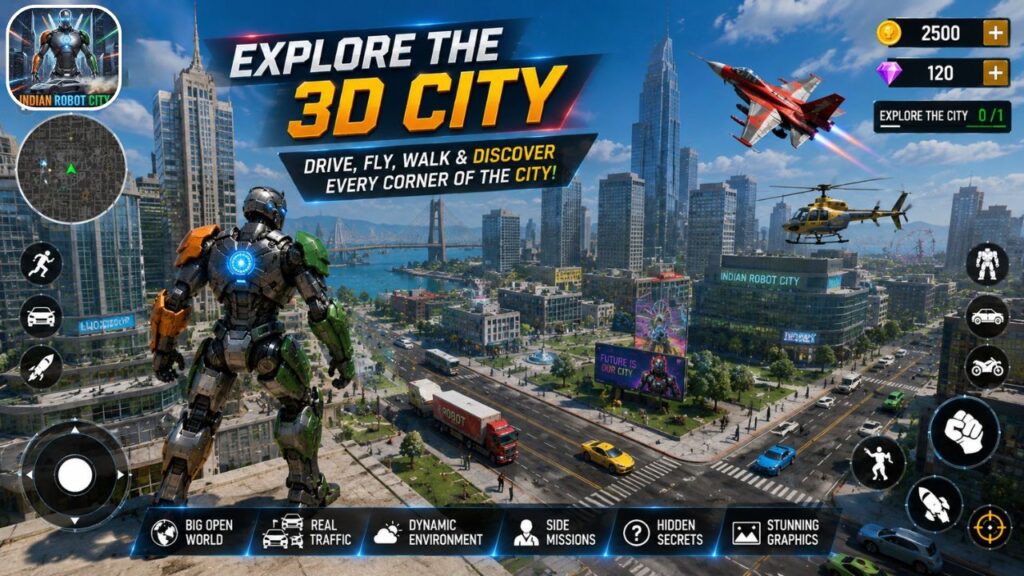
The game provides a 3D city environment where players can move around roads and different locations.
You can see:
- Roads
- Buildings
- Parks
- Bridges
- Open areas
- City streets
- Different environments
This gives the game an exploration element in addition to its action gameplay.
3. Car and Monster Truck Gameplay
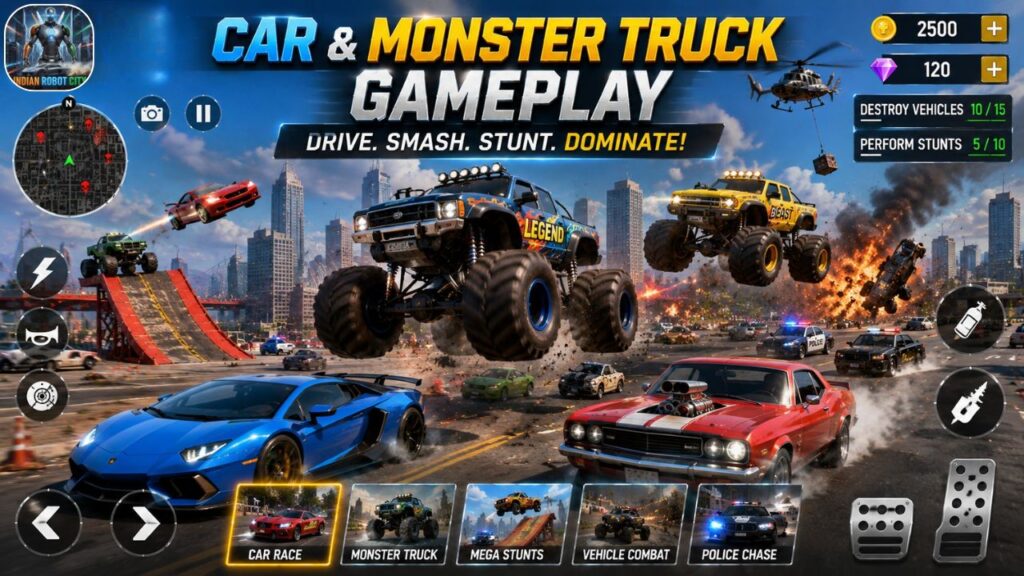
Indian Robot City 3D is not only about robots. The screenshots show powerful vehicles, including large monster trucks with oversized tyres.
Players can use vehicles for driving and other gameplay activities.
The combination of cars and robots is one of the reasons the game can be interesting for players who enjoy both driving games and robot games.
4. Racing and Shooting
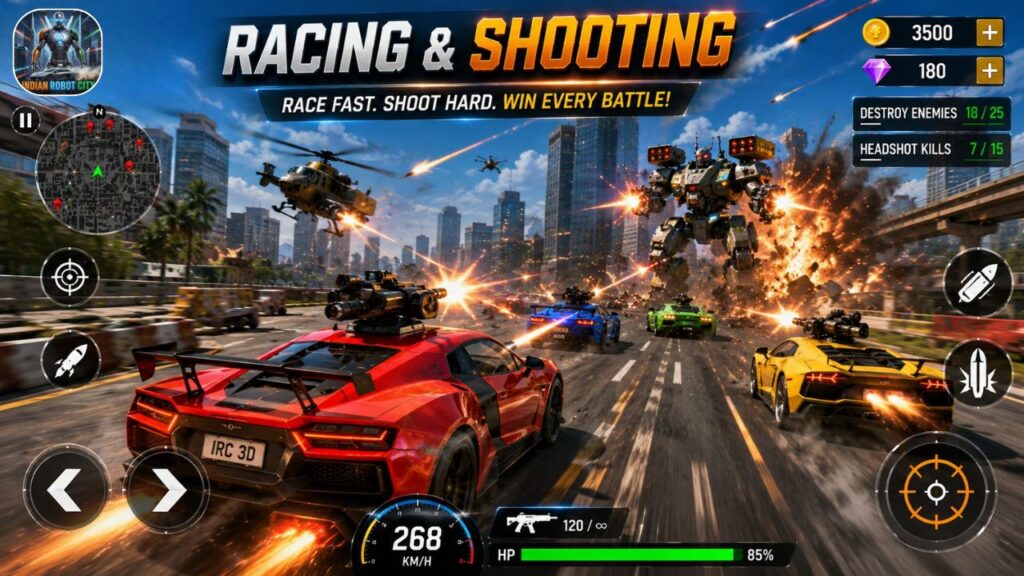
The official game description specifically mentions car racing with shooting and robot transformation. This means players can experience more than traditional driving.
The action can involve:
Drive → Race → Fight → Complete Mission → Progress
This combination makes the gameplay more action-oriented.
5. Different Game Modes
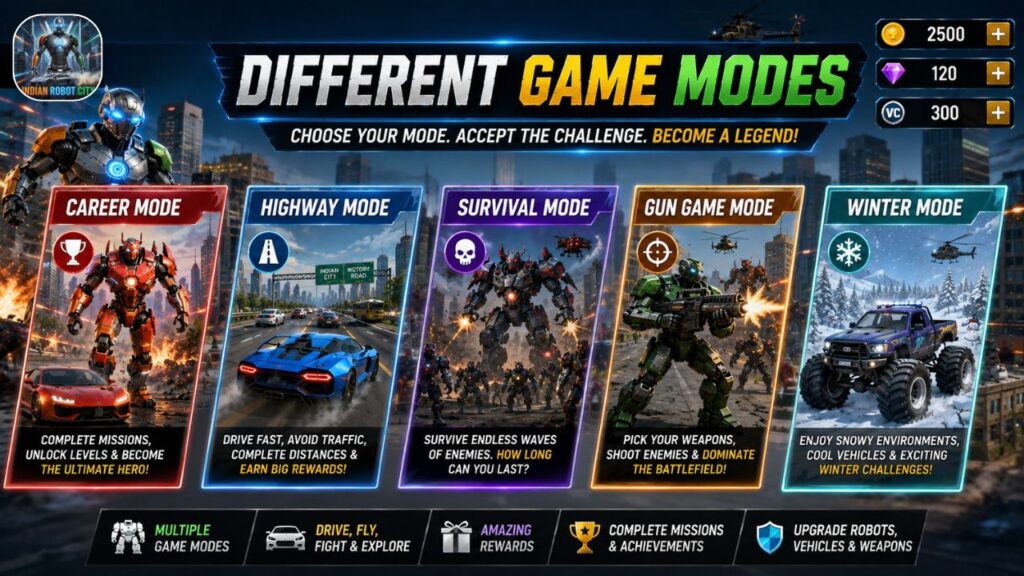
The game provides multiple modes so players can experience different types of gameplay. From your screenshots, the available modes include:
Career Mode
Career Mode is designed around progression. Players can complete levels and move forward through the game.
Highway Mode
Highway Mode focuses on travelling and driving through roads.
Survival Mode
Survival Mode provides a more challenging action experience where players need to survive the gameplay challenges.
Gun Game Mode
Gun Game Mode adds shooting-based action to the experience.
Winter Mode
Winter Mode offers a different environment and visual setting.
| Mode | Main Focus |
|---|---|
| Career | Level progression |
| Highway | Driving and road gameplay |
| Survival | Survival challenges |
| Gun Game | Shooting/action |
| Winter | Winter-themed gameplay |
6. Level Selection
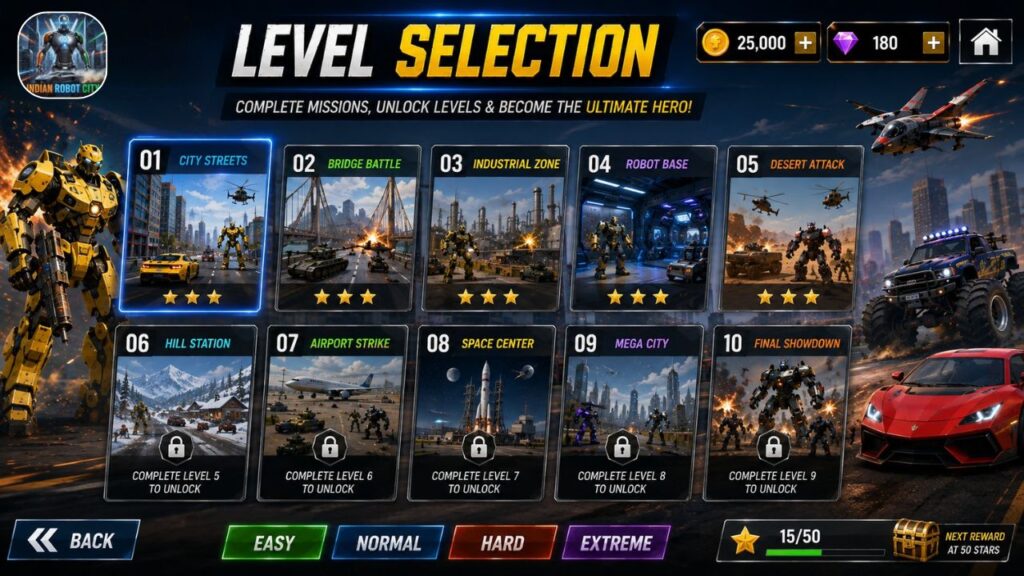
The game also has a Level Selection screen. Players can see different levels and identify which ones are available and which are locked.
For example, the screenshots show:
- Level 1 – Unlocked
- Later levels – Locked
- Watch Video option on some levels
This means players can progress through the game rather than having everything available from the beginning.
How Level Progression Works
The basic idea is:
Start Level → Complete Challenge → Earn Progress → Unlock More Content → Continue Playing
This progression system gives players a reason to continue playing.
7. Aircraft and Flying Gameplay
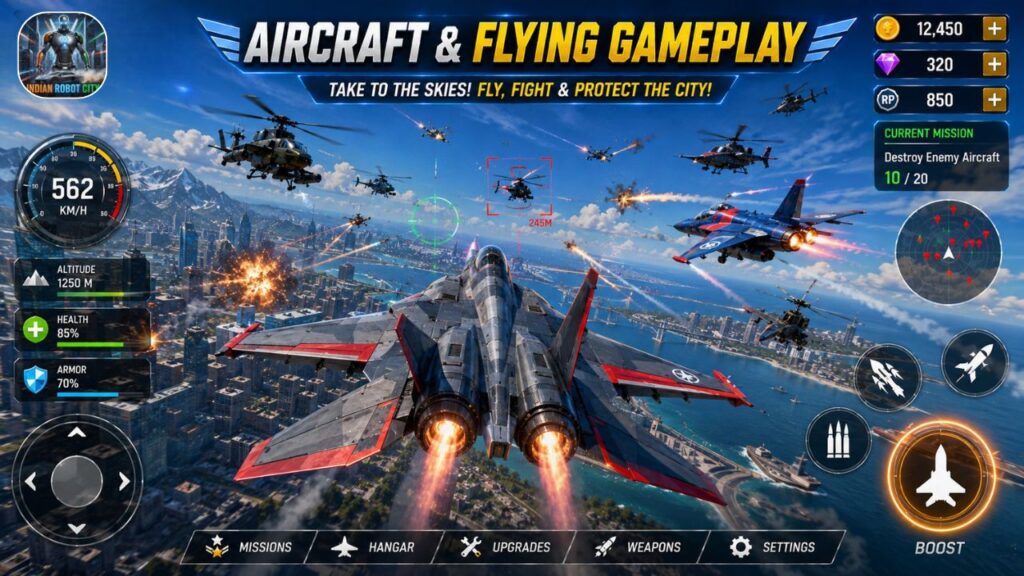
One of the more interesting features visible in the screenshots is the aircraft system. Players can select an aircraft and experience flying over the game world.
The aircraft selection screen includes options such as:
Select Your Carrier
and another screen shows:
Select Your Landing Gear
Once the aircraft is selected, players can enter the flying environment.
The game map can be seen from above, giving players a completely different view compared with ground-based robot gameplay.
| Ground Gameplay | Flying Gameplay |
|---|---|
| Control robot | Control aircraft |
| Explore roads | Fly over the map |
| Drive vehicles | Travel through the sky |
| Robot battles | Aircraft-based gameplay |
8. Achievements
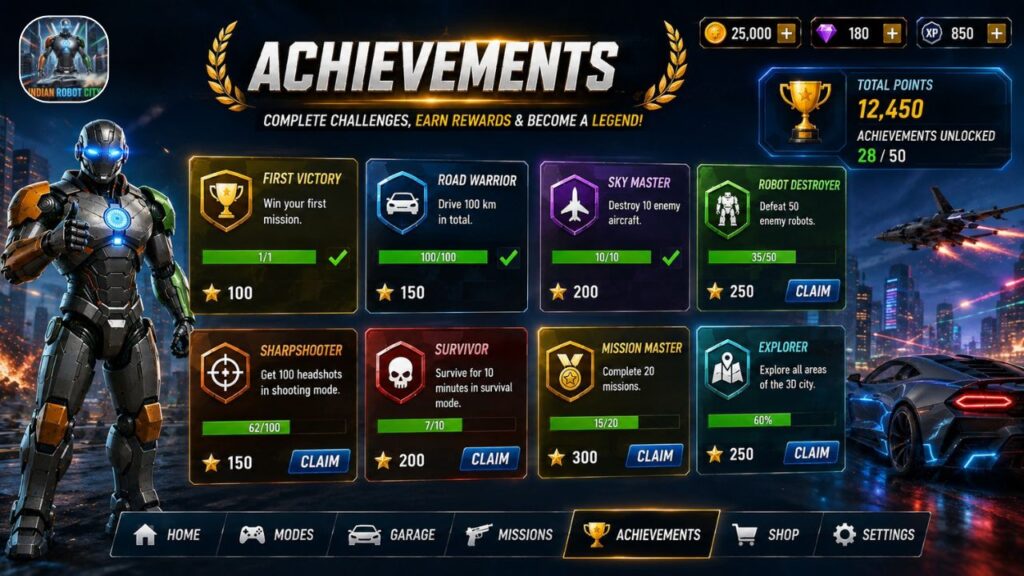
The Achievements section gives players additional tasks to complete.
Instead of simply playing levels, players can try to achieve specific objectives.
The screenshot shows tasks such as:
- Playing a battle mode multiple times
- Reaching a required high score
- Covering a certain distance
- Collecting rings
- Driving a monster truck for a specific time
| Achievement Type | Example Objective |
|---|---|
| Battle | Play battle mode several times |
| High Score | Reach the required score |
| Distance | Travel a specific distance |
| Collection | Collect required items |
| Driving | Drive a monster truck for a set duration |
Completing achievements can provide additional in-game rewards.
9. Rewards and In-Game Currency
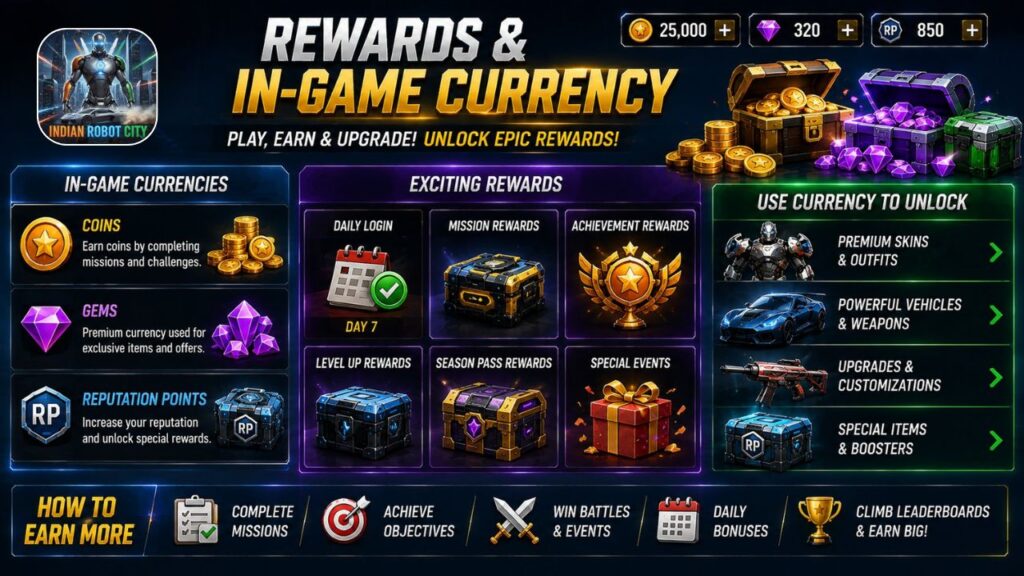
The game includes different types of in-game currency.
From the screenshots, players can see:
- 🟢 Green currency
- 💎 Diamonds
- 🟡 Coins
- 🪙 VC currency
These currencies can be used within the game’s available systems.
| Currency | Possible Purpose |
|---|---|
| Coins | In-game purchases/rewards |
| Diamonds | Premium-style game currency |
| VC | Special in-game currency |
| Other rewards | Unlocking or progressing through content |
The exact use of each currency can depend on the particular game feature or version.
10. In-Game Shop
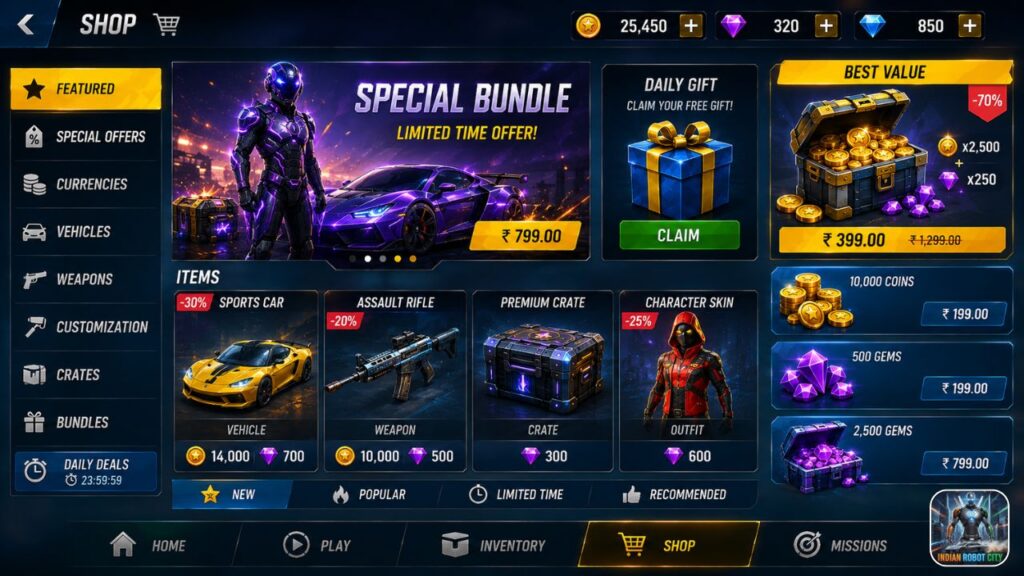
The game also includes a Shop section. The shop displays different currency packages, including coin packages and other available currencies.
Players can see different quantities and prices before making a purchase.
Important Point About Purchases
Although the game is free to install, the Google Play listing states that it contains in-app purchases.
Therefore, players should always check the price before confirming any purchase.
Parents should also be aware of in-app purchase settings if children are using the device.
11. Watch Videos and Earn VC
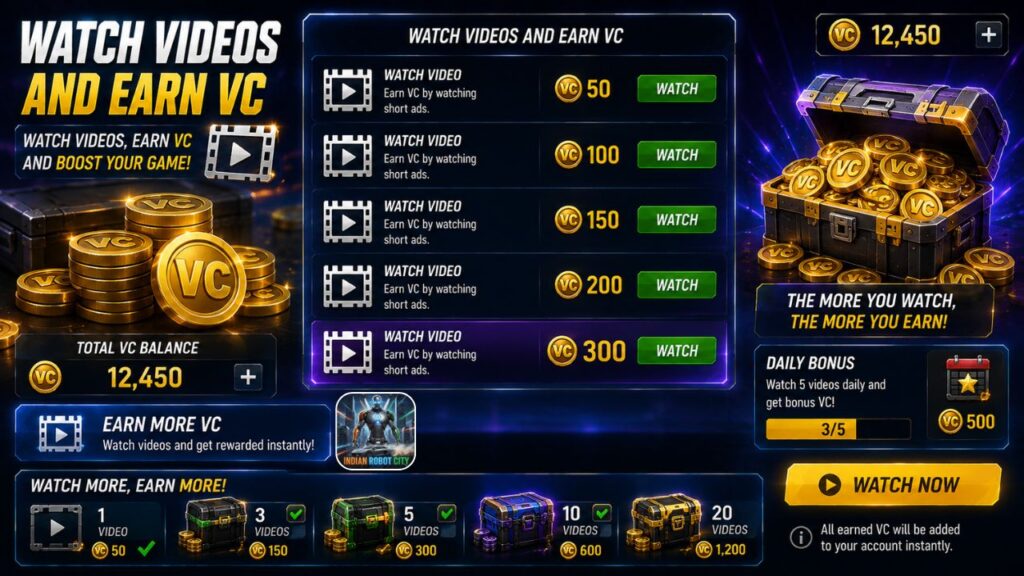
Another feature visible in the screenshots is the Earn VC section. The game provides an option to watch a rewarded advertisement and receive VC coins.
The basic process is:
Open Earn VC → Choose the rewarded video → Watch the video → Receive the available reward
This can be useful for players who want to collect available in-game currency through gameplay-related rewards rather than immediately purchasing currency.
However, the availability and amount of rewarded currency may depend on the game version and available advertisements.
12. More Games Option
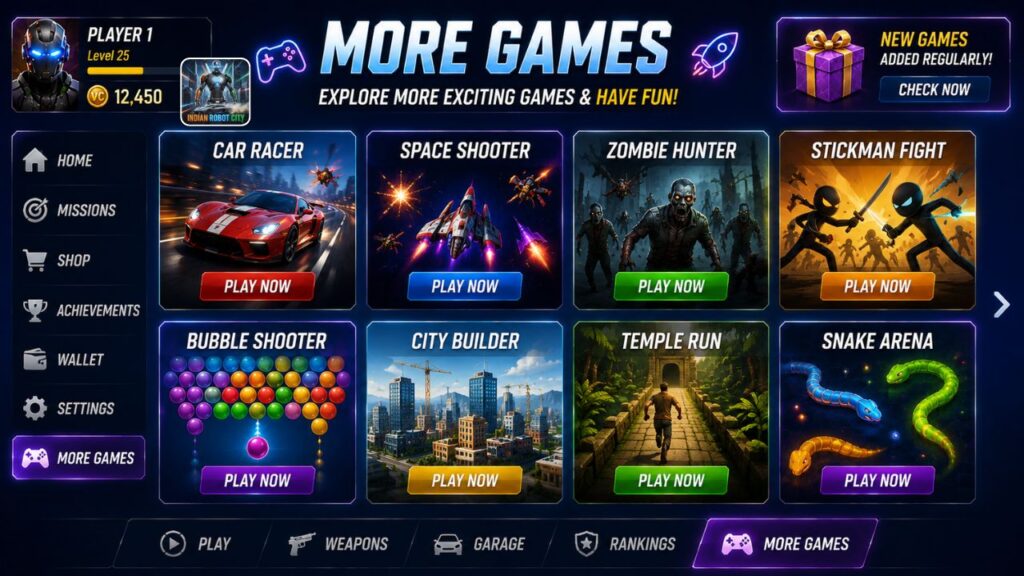
The game also displays a More Games option.
When selected, it can show a message asking whether the player wants to visit more games.
This feature is useful for players who want to explore other games from the developer.
Indian Robot City 3D Controls
For new players, the controls may initially look unfamiliar. But after spending a few minutes playing, they become easier to understand.
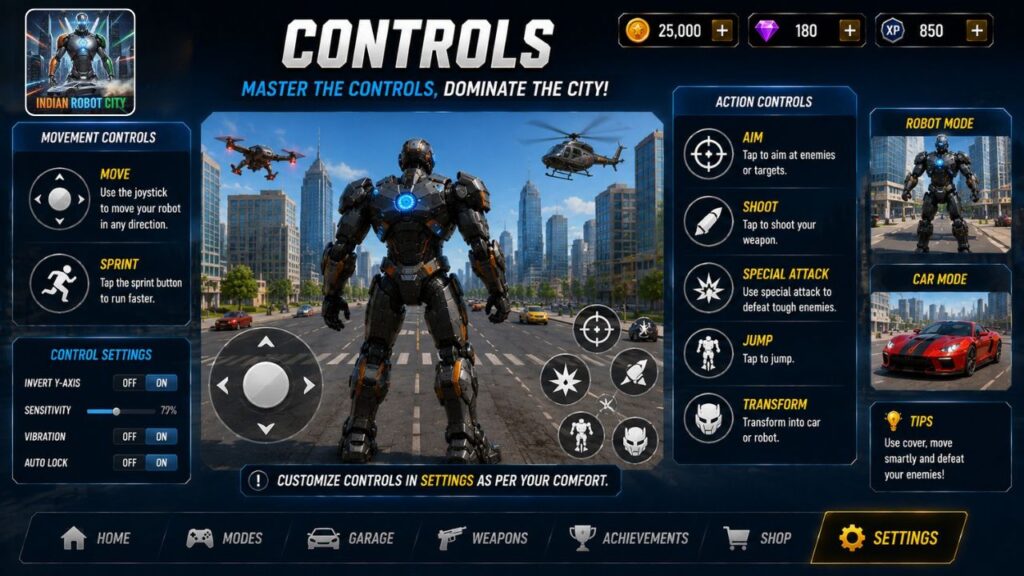
| Control | Purpose |
|---|---|
| 🕹️ Virtual Joystick | Move the character |
| ▶️ Action Buttons | Perform available actions |
| 🏃 Run Button | Move faster where available |
| ⚔️ Combat Buttons | Perform combat actions |
| ✈️ Flight Controls | Control aircraft |
| ⏸️ Pause | Pause gameplay |
How to Start Playing: Complete Beginner Guide
If you are opening the game for the first time, follow these simple steps.
Step 1
Open Indian Robot City 3D.
Step 2
Wait for the loading screen to finish.
Step 3
Go to the main menu.
Step 4
Choose the available game mode.
Step 5
Select an unlocked level.
Step 6
Choose the available robot, vehicle or aircraft depending on the selected mode.
Step 7
Tap the Start/Play option.
Step 8
Use the virtual joystick to move.
Step 9
Use the action buttons when required.
Step 10
Complete the mission or objective.
Step 11
Collect the available rewards.
Step 12
Use your rewards to progress through the game’s available features.
Why Should You Try Indian Robot City 3D?
There are several reasons why this game may be interesting.
1. Robot-Based Gameplay
If you enjoy futuristic robot characters, the game provides a robot-focused experience.
2. Driving
The game combines robot gameplay with vehicles and driving.
3. Action
Combat and shooting elements add more excitement to the gameplay.
4. City Exploration
The 3D city environment gives players space to explore.
5. Flying
Aircraft gameplay adds another dimension beyond ground gameplay.
6. Achievements
Players can complete additional objectives and earn rewards.
7. Multiple Modes
Different modes allow players to switch between different types of gameplay.
8. Reward System
Coins and other currencies provide additional progression elements.
Indian Robot City 3D: Pros and Things to Know
| Advantages | Things to Keep in Mind |
|---|---|
| Multiple gameplay options | Contains advertisements |
| Robot and vehicle gameplay | In-app purchases are available |
| 3D city environment | Some content may require progression |
| Different game modes | Gameplay may vary by device |
| Achievement system | Internet may be required for some features |
| Aircraft gameplay | Check purchase prices before buying |
| Free to install | Game size may require sufficient storage |
Is Indian Robot City 3D Worth Trying?
If you enjoy robot action games, car games, city exploration and arcade-style gameplay, Indian Robot City 3D can be an interesting game to try.
Its main strength is the combination of different gameplay elements. You are not restricted to only driving or only fighting. You can experience robots, cars, racing, shooting, missions, achievements and flying within the game’s different sections.
The official Google Play listing also highlights the game’s robot transformation, car racing, shooting, missions, 3D graphics and upgrade features.
Final Verdict
Indian Robot City 3D brings several gaming experiences together in one 3D environment.
From controlling a powerful robot and exploring the city to driving monster trucks, taking part in action missions and flying aircraft, the game provides plenty of activities for players to explore.
The Career, Highway, Survival, Gun Game and Winter modes, along with level progression, achievements, rewards and an in-game shop, give players multiple ways to continue playing.
If you are searching for a free-to-install Android action game that combines robots, cars, shooting, racing and city exploration, Indian Robot City 3D is worth checking out.
So, if you love robots, cars and action games, download Indian Robot City 3D, choose your favourite mode and start exploring the futuristic city!