Investing in stocks, mutual funds, IPOs and other financial products has become much easier with mobile investment platforms. One such popular platform in India is the Angel One: Stocks, Mutual Fund App. The Angel One app is designed to provide multiple investment and trading services through a single platform. Users can explore stocks, mutual funds, IPOs, ETFs, commodities, futures and options, and other financial products through the app. Angel One also provides tools such as charts, watchlists, portfolio tracking, market information and digital account opening.
What is Angel One: Stocks, Mutual Fund App?
Angel One is a digital investment and trading platform from Angel One Limited. The app allows users to access different financial products and manage their investments from a smartphone. According to Angel One, its platform provides access to stocks, IPOs, mutual funds, ETFs, commodities, futures and options, currencies and other investment products. The app is intended for both beginners and experienced market participants. Beginners can use its simplified interface and educational resources, while more experienced users can access advanced charts, order types, portfolio tools and other trading features.
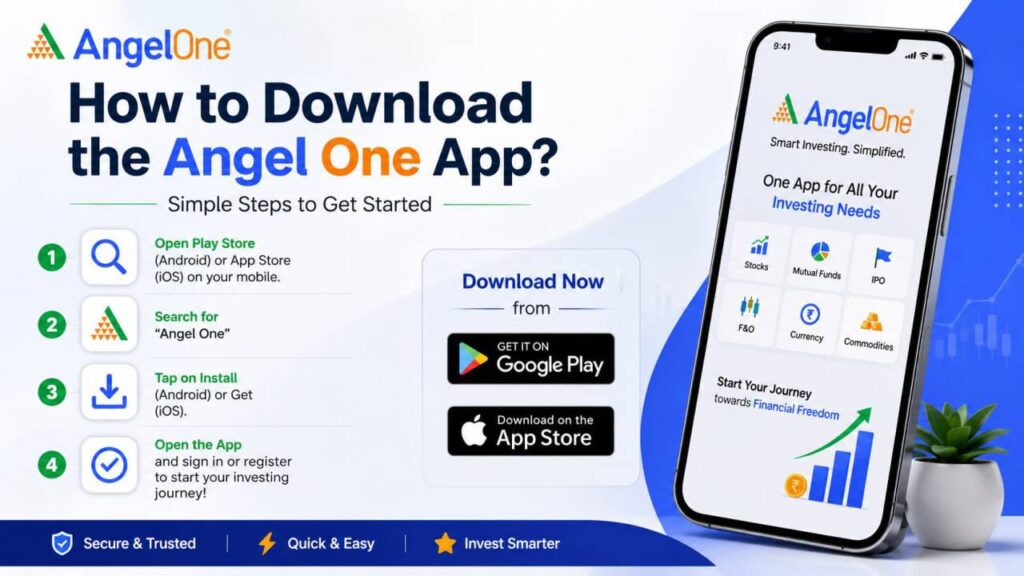
How to Download the Angel One App
Downloading the Angel One app is a straightforward process. The app is available for Android and iOS devices.
Step 1: Open Your App Store
- For Android users: Open the Google Play Store on your smartphone.
- For iPhone users: Open the Apple App Store.
Step 2: Search for Angel One
Type:
Angel One: Stocks, Mutual Fund
into the search bar.
Be careful when selecting the application. Angel One has specifically warned investors about fake applications and fraudulent platforms impersonating genuine financial services. Always verify that you are downloading the legitimate Angel One application from an official app store or the company’s official website.
Step 3: Install the App
- Select the official Angel One application and tap Install on Android or Get on iPhone.
- Wait for the application to download and install on your smartphone.
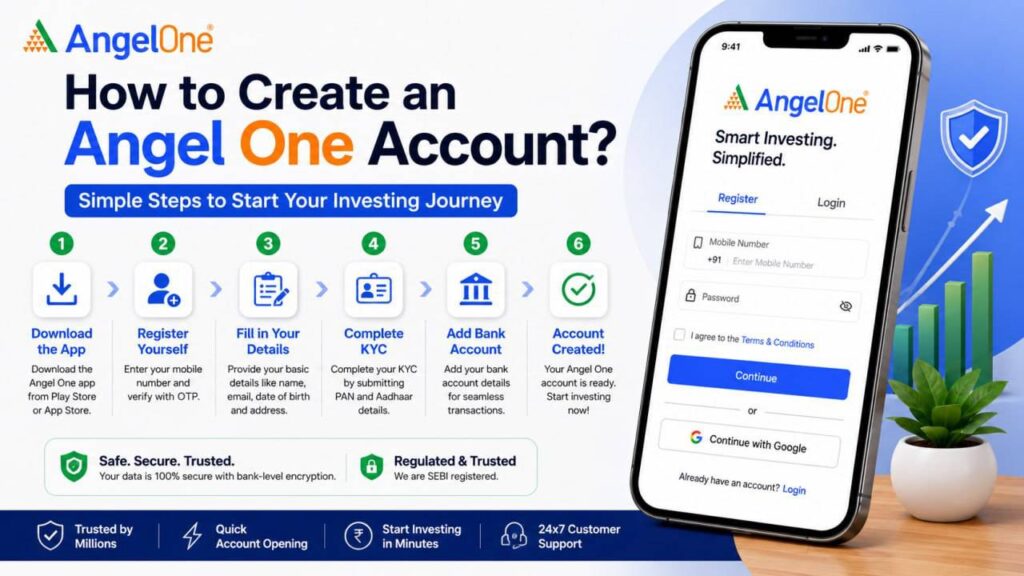
How to Create an Angel One Account?
After installing the application, the next step is to register and complete the account-opening process. Angel One provides a digital onboarding process for opening a demat and trading account.
Step 1: Open the App
- Launch the Angel One app after installation.
- Look for the Sign Up / Open Account option and tap on it.
Step 2: Enter Your Mobile Number
- Enter your mobile number.
- The number is used for registration and future communication. Angel One’s current registration process sends an OTP to verify the mobile number.
- Enter the OTP received on your phone.
Step 3: Enter and Verify Your Email
- You may then be asked to provide an email address.
- Enter your email address and complete the email verification process using the OTP sent to your email, if requested.
Step 4: Complete KYC
The next important step is KYC – Know Your Customer.
Angel One provides a digital KYC/onboarding process. Depending on eligibility and the current onboarding flow, users may be able to complete verification digitally using available identity and document services.
Documents or information may include:
- PAN details
- Aadhaar/KYC details
- Bank account information
- Other required personal details
- Additional documents where required
Step 5: Complete Verification
Follow the instructions shown on the screen to complete identity and account verification. Once the verification process is completed and the account is activated, you can log in and access the app’s investment and trading features.
How to Use the Angel One App?
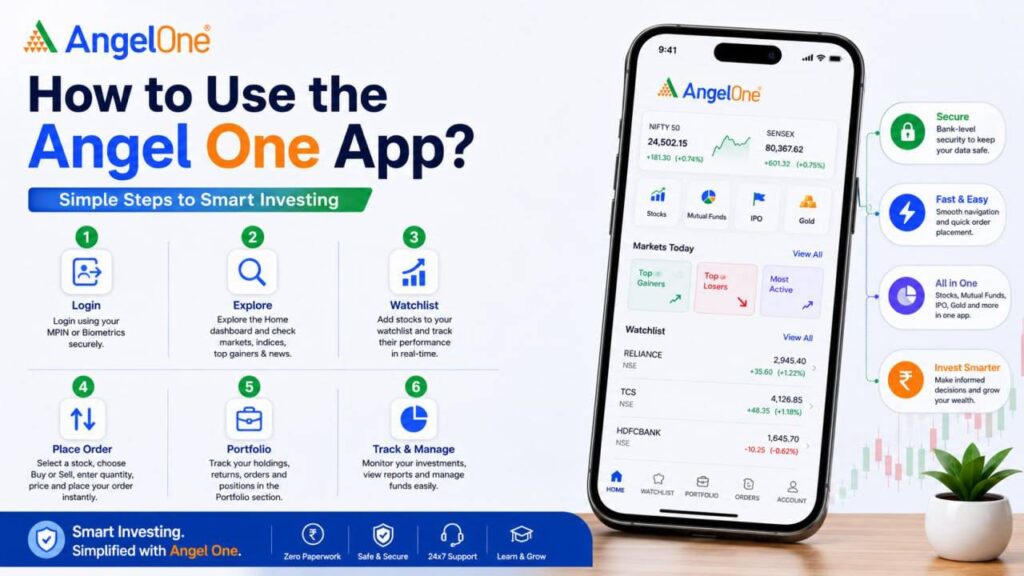
The Angel One app is divided into different sections that help users navigate the platform. Angel One’s official user manual broadly covers sections such as Home, Watchlist, Portfolio, Orders and Account. Let’s understand each section step by step.
1. Home Section
The Home section is generally the starting point after logging into the app. Here, users can find market information, portfolio information and shortcuts to various investment products and services.
Depending on the current app version, users may find access to:
- Market information
- Stocks
- Mutual Funds
- IPOs
- Portfolio
- Investment tools
- Other financial products
- Market insights and updates
Angel One has continued to improve the Home interface to provide easier access to different asset classes and investment tools.
2. Watchlist Section
The Watchlist feature is useful when you want to monitor particular stocks or other market instruments. Instead of searching for the same stock repeatedly, you can add selected securities to your watchlist and monitor their prices and market movements.
How to use Watchlist:
- Open the Angel One app.
- Go to the Watchlist section.
- Search for the stock or security you want to track.
- Select the relevant security.
- Add it to your watchlist.
- Return to the Watchlist whenever you want to monitor it.
This can be particularly useful for investors who want to observe a stock before making an investment decision.
3. How to Search for a Stock?
Angel One provides search functionality to help users find stocks and other market instruments.
Steps
- Open the app.
- Tap the search option.
- Enter the company or stock name.
- Select the correct stock from the search results.
- Review the available information.
- Check price movements, charts and other relevant information.
- If you decide to trade, use the appropriate buy or sell option.
The app also provides market information and analytical tools to help users understand securities before placing orders.
4. How to Buy Stocks Using Angel One?
Once your demat and trading account is active, you can use the app to place stock orders.
Step-by-step process
- Search for the stock you want to buy.
- Open the stock’s details page.
- Review the available information, including the current market price and charts.
- Select Buy.
- Choose the appropriate order type and enter the required quantity and price, depending on the order.
- Review the order details carefully.
- Submit the order after confirming the details.
The order will be processed according to the applicable market and order conditions.
Note: Stock prices can move quickly. Before placing an order, check the quantity, price, order type and applicable charges carefully.
5. How to Sell Stocks?
If you already own eligible shares in your demat account, you can use the app to place a sell order.
Steps
- Open the Portfolio section.
- Select your stock holding.
- Choose the Sell option.
- Enter the quantity.
- Select the appropriate order type.
- Review the order.
- Confirm and place the sell order.
Always check the order details before confirming the transaction.
6. How to Invest in Mutual Funds?
Angel One also provides access to mutual funds. Its mutual-fund platform supports both SIP and lump-sum investments. Angel One currently states that it offers thousands of mutual fund schemes and advertises zero commission on mutual fund investments, subject to its applicable terms.
Step-by-step process:
- Open the Angel One app.
- Select the Mutual Funds section.
- Search or browse available mutual fund schemes.
- Review the scheme information.
- Consider factors such as your financial goal, investment horizon and risk tolerance.
- Choose whether you want to invest through an SIP or lump sum.
- Enter the required investment amount.
- Review the details and complete the investment process.
7. How to Start an SIP?
An SIP, or Systematic Investment Plan, allows an investor to invest a predetermined amount into a mutual fund at regular intervals.
Angel One currently promotes SIP investing through its platform and states that SIPs can be started through the app.
General SIP process:
- Open Mutual Funds.
- Select a suitable mutual fund scheme.
- Choose the SIP option.
- Enter the investment amount.
- Select the required frequency/date, where available.
- Review the details.
- Complete the required payment/mandate setup.
- Confirm the SIP.
Before starting an SIP, investors should understand the mutual fund’s investment objective, risk level, costs and historical performance. Past performance does not guarantee future returns.
8. How to Explore IPOs?
Angel One also provides access to IPO-related information and investment facilities.
The app can provide information such as:
- IPO name
- Price band
- Lot size
- Important dates
- Subscription information
- Company information
Angel One’s current platform also describes an IPO information feature designed to make IPO details easier to understand.
General IPO process
- Open the IPO section.
- Select an available IPO.
- Review the IPO details.
- Check the price band and lot size.
- Read the relevant offer/document information.
- Decide whether the IPO is suitable for you.
- Follow the app’s instructions to place an application.
IPO investments also carry risks, so investors should not apply solely because an IPO is popular or heavily subscribed.
9. How to Check Your Portfolio?
The Portfolio section helps users monitor their investments. Angel One’s portfolio interface provides information such as portfolio market value, overall gain/loss and investment-category breakup. The portfolio can include categories such as equity, mutual funds and SGB, depending on the user’s holdings.
- Open the Angel One app.
- Select Portfolio.
- View the total portfolio value.
- Check invested value and current value.
- Review overall gains or losses.
- Select individual investments for more details.
10. How to Check Orders?
The Orders section allows users to monitor orders placed through the platform. Depending on the transaction, you may be able to check:
- Pending orders
- Completed orders
- Cancelled orders
- Order details
- Transaction status
After placing a trade, checking the order status is important because placing an order does not necessarily mean that it has already been executed.
11. Account Section
The Account section contains account-related settings and information. Depending on the current version of the app, this area may provide access to:
- Personal/account information
- Bank-related information
- Profile settings
- Account services
- Support
- Other account-related options
Who Can Use the Angel One App?
1. Beginners
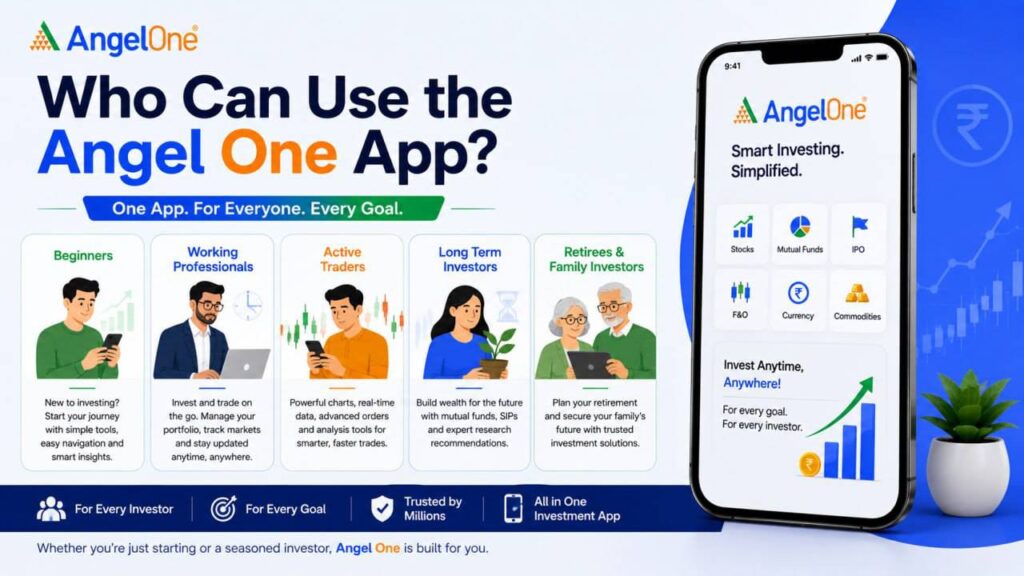
People who are new to investing can use the platform to learn about stocks, mutual funds and other products and gradually understand how investment platforms work. Angel One says its app is designed for both beginners and experienced traders, with beginner-friendly tools as well as advanced features.
2. Long-Term Investors
People interested in building a long-term portfolio can use the app to monitor stocks, mutual funds and other investments.
3. Mutual Fund Investors
Users who want to invest through SIPs or lump-sum mutual fund investments can use the mutual fund section.
4. Stock Market Traders
Active traders can access charts, market information and order-related features.
5. IPO Investors
Users interested in applying for eligible IPOs can use the IPO section to explore available issues and their details.
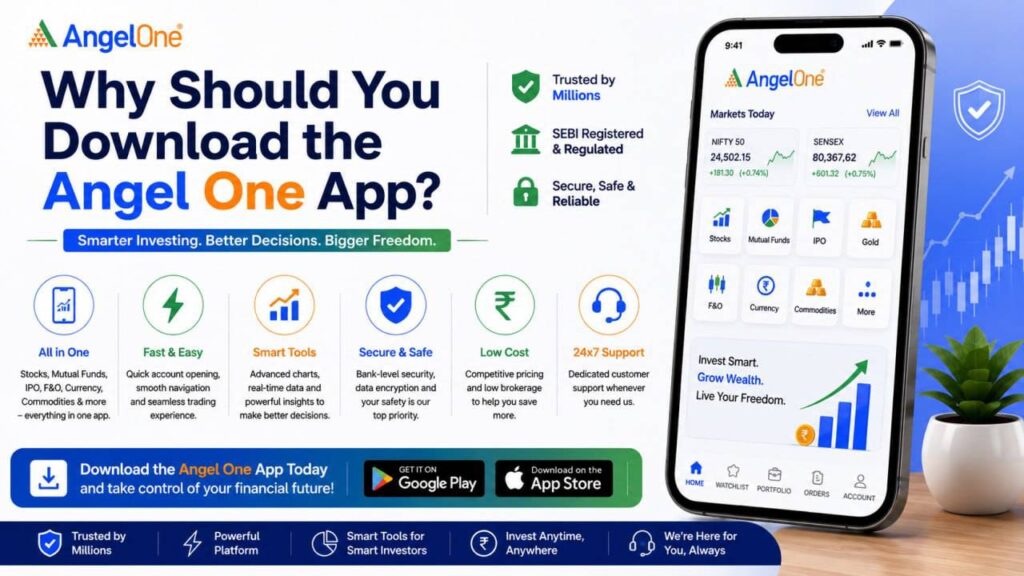
Why Should You Download the Angel One App?
There are several reasons why someone may consider using Angel One as an investment platform.
One App for Multiple Financial Products
Instead of using separate applications for every investment category, Angel One provides access to several products through one platform, including stocks, mutual funds, IPOs, ETFs, commodities and derivatives.
Easy Digital Account Opening
Angel One provides a digital account-opening process that allows eligible users to complete onboarding online.
Portfolio Tracking
The portfolio section allows investors to monitor their holdings, investment value and gains or losses.
Mutual Fund Investment
Users can explore mutual funds and invest through SIP or lump-sum options.
Market Research and Tools
The platform provides charts, market information, screeners and other tools that can help users research investments.
Beginner-Friendly Interface
Angel One describes its current app as having a simple interface and beginner-friendly tools while also providing advanced functionality for experienced traders.
Security Features
Angel One says its app uses security mechanisms such as biometric authentication and PIN verification to help protect accounts and sensitive information.
Final Verdict
Angel One: Stocks, Mutual Fund App is a multi-purpose investment and trading platform that brings stocks, mutual funds, IPOs and several other financial products together in one application. For beginners, the app can provide a convenient starting point for learning about investing and managing a portfolio. For experienced investors and traders, it offers additional market tools, charts and trading functionality.