In today’s digital world, carrying important documents on your phone has become easier than ever. One such essential document is the Permanent Account Number (PAN) card. The Government of India allows citizens to download a digital PAN (e-PAN) within minutes, making it convenient, secure, and legally valid for all financial transactions.
Whether you have misplaced your physical PAN card or simply prefer a digital copy, this guide explains every method you can use to download your e-PAN directly on your mobile phone.
What is an e-PAN?
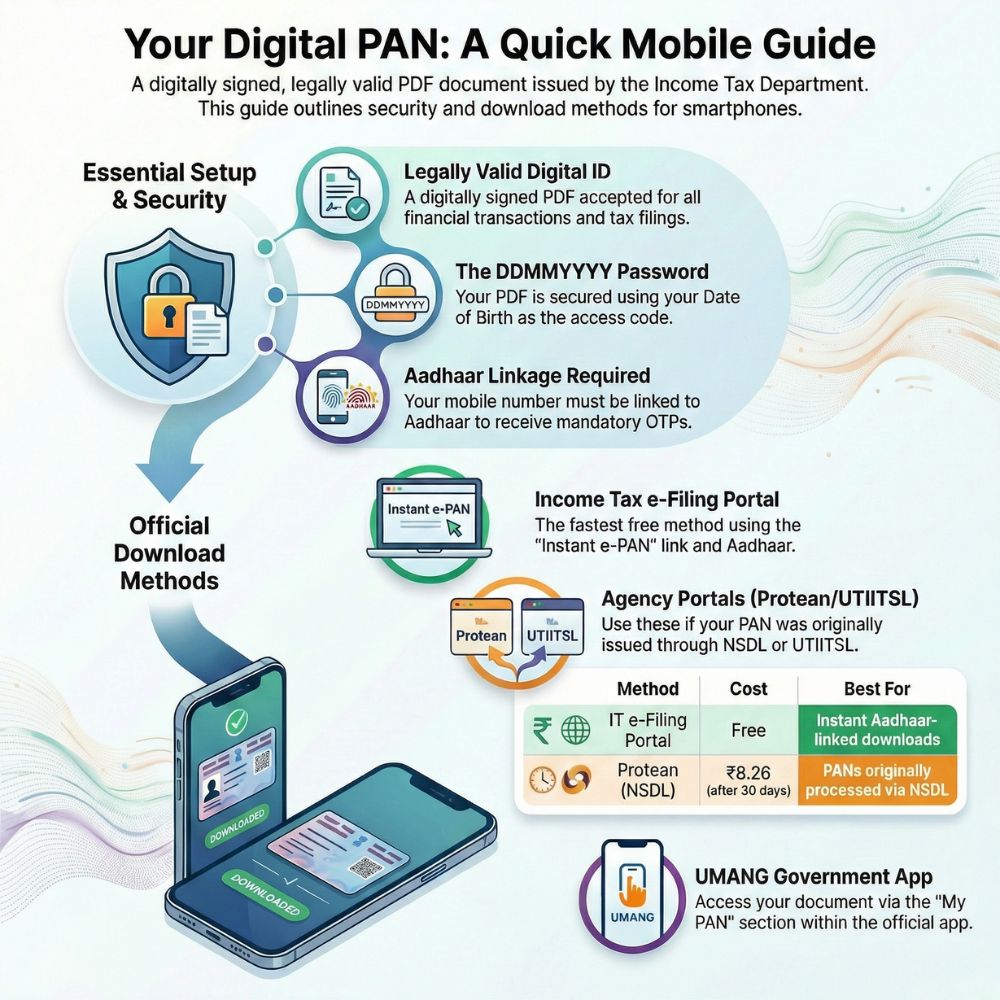
An e-PAN is an electronically generated PAN card issued by the Income Tax Department. It comes as a digitally signed PDF, meaning it is fully authentic and accepted everywhere — from opening bank accounts to filing income tax returns.
The file is password-protected, and the password is your Date of Birth in DDMMYYYY format.
Example:
If your DOB is 15 August 1995, your password will be 15081995.
Methods to Get Digital PAN on Mobile
1. Income Tax e-Filing Portal (Free & Instant)
Best for: Individuals whose PAN is already linked with Aadhaar.
This is the fastest and most popular way to download your e-PAN — and it is completely free.
Steps to Download:
- Visit the official Income Tax e-Filing portal using your mobile browser.
- Look for “Instant e-PAN” under the Quick Links section.
- Click “Check Status / Download PAN.”
- Enter your 12-digit Aadhaar number.
- Verify your identity using the 6-digit OTP sent to your registered mobile number.
- Once verified, download your e-PAN PDF instantly.
The entire process usually takes just a few minutes.
2. Protean Portal (Formerly NSDL)
Best for: People who originally applied for their PAN through the NSDL system.
Fee:
- Free within the first 30 days after PAN issuance.
- After that, the download fee is approximately ₹8.26.
Steps:
- Visit the Protean (NSDL) PAN portal.
- Enter your PAN number, Aadhaar number, and Date of Birth.
- Complete the captcha verification.
- Authenticate using the OTP sent to your mobile.
- Download your e-PAN.
This method is especially helpful if your PAN was processed via NSDL.
3. UTIITSL Portal
If your PAN application was submitted through UTI Infrastructure Technology and Services Limited (UTIITSL), you can retrieve your digital card from their website.
Steps:
- Go to the UTIITSL PAN website.
- Enter your PAN, Date of Birth, and captcha code.
- Verify the request using OTP authentication.
- Download your e-PAN securely.
4. UMANG App – Get PAN on Your Smartphone
Prefer using apps instead of websites? The UMANG (Unified Mobile Application for New-age Governance) app offers an easy way to access government services, including PAN downloads.
How to Use:
- Download the UMANG app from the Play Store or App Store.
- Open the app and search for “My PAN.”
- Select the “Download e-PAN” option.
- Follow the verification steps to receive your digital card.
It’s a great option for users who frequently access government services from their phones.
Important Details You Should Know
Legal Validity:
The e-PAN is just as valid as the physical PAN card for all financial and legal purposes.
Password Protection:
Your file is secured with your Date of Birth (DDMMYYYY).
Mobile Requirement:
Your mobile number must be linked with Aadhaar to receive OTPs.
Format:
Delivered as a digitally signed PDF, ensuring authenticity and tamper-proof security.
Convenience:
No need to wait for delivery — access your PAN anytime, anywhere.
Final Thoughts
Getting your digital PAN card on mobile is quick, simple, and extremely convenient. Whether you use the Income Tax portal for instant access, the Protean or UTIITSL websites, or the UMANG app, the process is designed to save time and eliminate paperwork.
If you haven’t already downloaded your e-PAN, it’s a smart move to keep a copy stored safely on your phone. After all, in an increasingly paperless world, having digital documents ready can make financial tasks smoother and stress-free