In today’s digital world, having your important documents available on your phone or laptop is more important than ever. Whether it is for banking, government schemes, SIM cards, or loan applications, the Aadhaar card is one of the most essential identity documents for every Indian citizen.
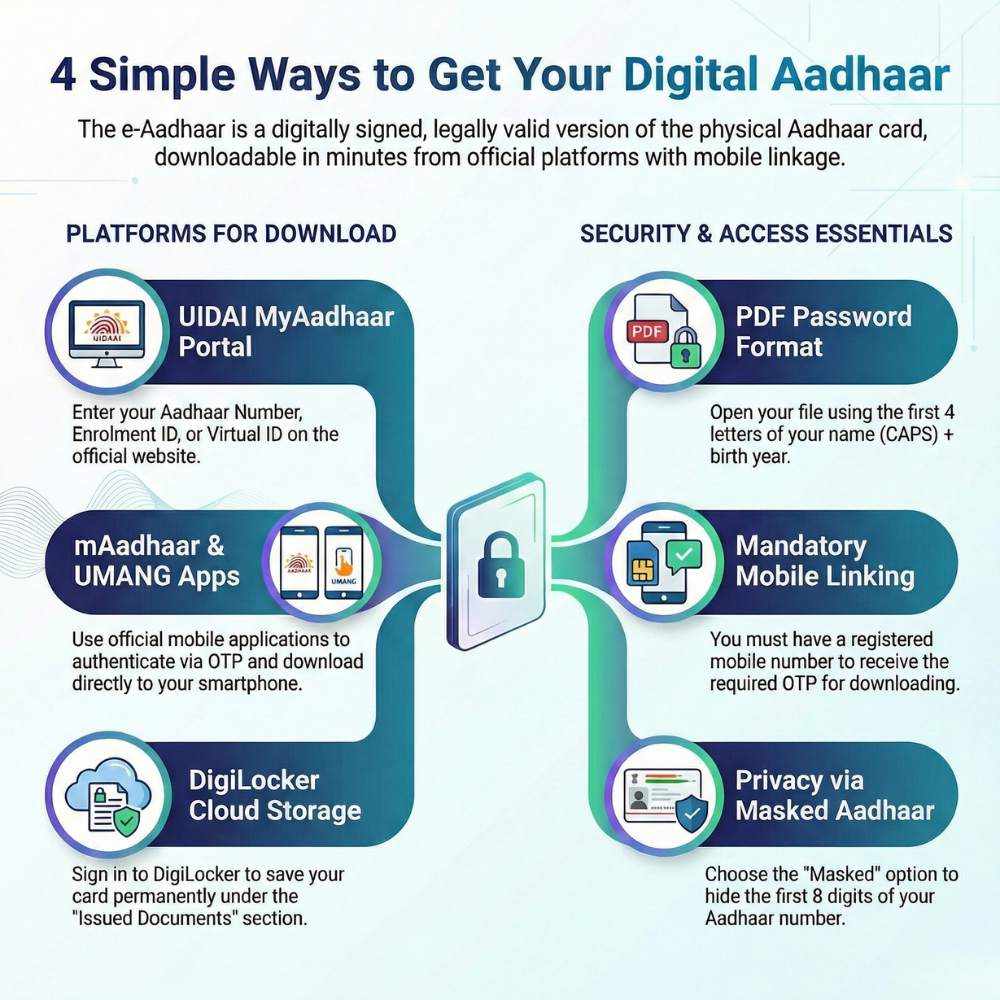
But what if you don’t have your physical Aadhaar card with you? No need to worry! You can quickly download the Digital Aadhaar (e-Aadhaar) online within minutes. It is digitally signed by UIDAI and is valid for all official purposes, just like the printed version.
Download e-Aadhaar via the UIDAI MyAadhaar Portal
Follow these simple steps:
- Visit the official UIDAI MyAadhaar portal
- Click on “Download Aadhaar”
- Enter your Aadhaar Number, Enrolment ID (EID), or Virtual ID (VID)
- Fill in the captcha and enter the OTP sent to your registered mobile number
- Choose “Masked Aadhaar” if you want the first 8 digits hidden for privacy
- Click “Verify & Download” to get your password-protected PDF instantly
Download Using the mAadhaar App
Prefer using your smartphone? The mAadhaar app makes it even easier.
- Install the mAadhaar app on your mobile
- Log in and select “Download Aadhaar”
- Verify your details via OTP
- Your digital Aadhaar will be ready within seconds
Get Aadhaar from DigiLocker
Another secure way to store your Aadhaar digitally is through DigiLocker.
- Sign in to DigiLocker
- Select UIDAI and choose “Aadhaar”
- Enter your Aadhaar number and OTP
- Your card will be saved under the ‘Issued Documents’ section for anytime access
Download Aadhaar via the UMANG App
- Open the UMANG App
- Go to “All Services” and select “My Aadhaar”
- Tap on “Download Aadhaar”
- Authenticate using OTP and download your card
Important Things to Know
PDF Password Format:
Your e-Aadhaar file is password-protected. The password is the first four letters of your name (in CAPITAL letters) + your birth year (YYYY).
Example: JOHN1990
What is Masked Aadhaar?
Masked Aadhaar hides the first 8 digits of your Aadhaar number (xxxx-xxxx) and shows only the last 4 digits, providing better privacy.
Registered Mobile Number is Mandatory:
You must have a mobile number linked to Aadhaar to receive the OTP for downloading.
Final Thoughts
The Digital Aadhaar is a safe, convenient, and smart way to carry your identity wherever you go. No fear of losing your card, no waiting for reprints — just download it anytime and keep it securely on your device.
If you haven’t downloaded your e-Aadhaar yet, do it today and enjoy hassle-free access to your most important identity document!